March 16, 2026
What Self-Hosting OpenClaw Actually Looks Like (According to the Community)
I read through several long Reddit discussions about self-hosting OpenClaw. The installation isn’t the hard part. The real issues show up after it’s running.
Most guides for OpenClaw make it look simple.
Clone the repo.
Run a container.
Connect an LLM.
Suddenly you have an AI agent that can automate tasks on your machine.
But reading through discussions in communities like r/selfhosted and r/AI_Agents, the experience people describe is very different. The installation works — but the challenges begin right after.
The community conversations are actually very useful because they reveal what the official guides rarely talk about.
The power of the agent surprises people
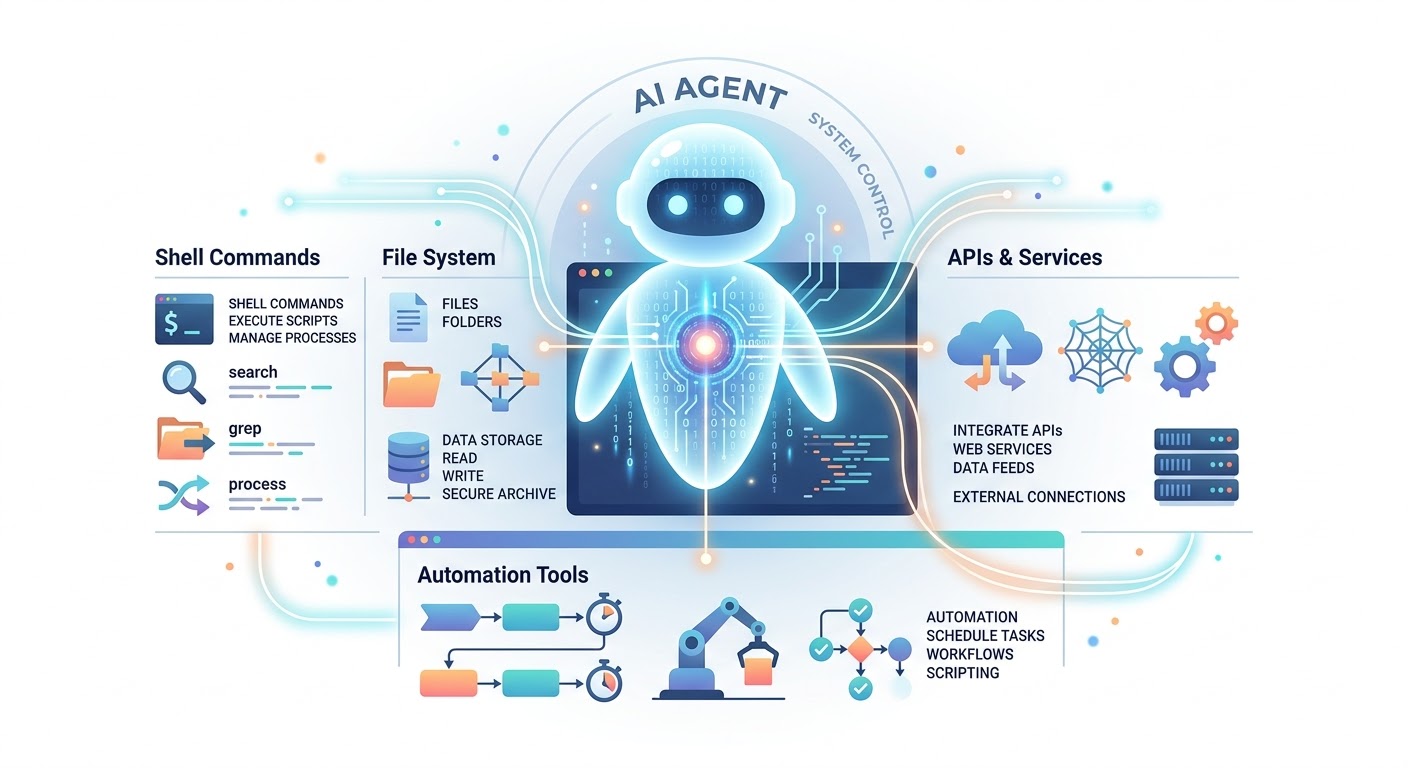
OpenClaw isn’t just a chatbot.
It can:
- run shell commands
- read and write files
- call APIs
- automate workflows
- interact with other tools
That’s exactly why people want it.
But many users say the moment they understand what it can do, they immediately start thinking about security risks.
An AI agent that can run commands is fundamentally different from a normal AI assistant. If it receives a bad instruction, it might execute it.
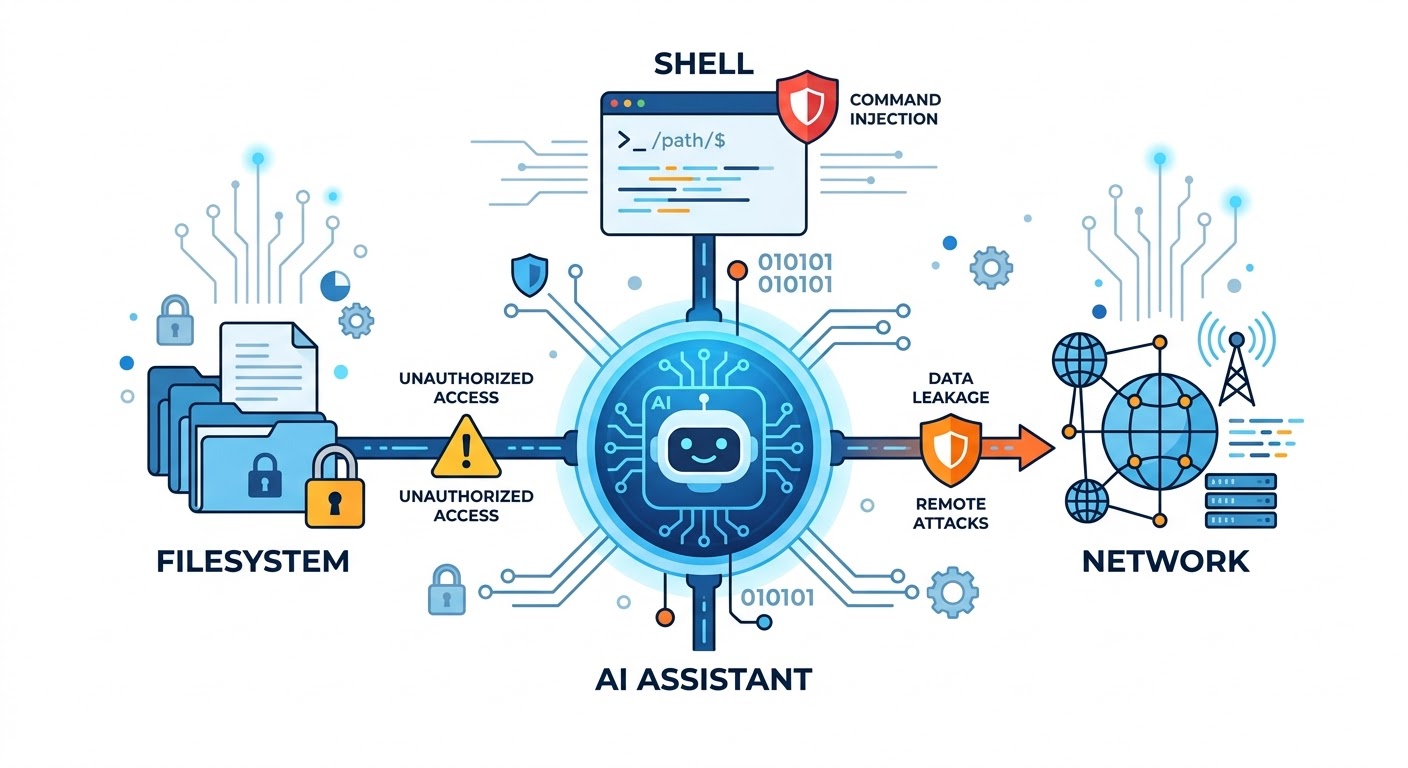
Because of that, experienced users quickly recommend treating the system as potentially dangerous by default.
Security becomes the real project
Across multiple threads, the same advice keeps appearing: the install guide is only step one.
Users start hardening their setup with things like:
- Docker isolation
- restricted filesystem access
- separate user permissions
- network segmentation
- reverse proxies
- monitoring and logs
Some people even recommend running the agent in an environment where it has no direct access to the host system.
The reason is simple: once AI agents start executing commands, they effectively become automation engines with unpredictable behavior.
So the real task becomes designing a safe environment around the agent, not just running the agent itself.
Reliability issues appear quickly
Another common complaint is reliability.
The system usually depends on several moving parts:
- the LLM provider
- tool integrations
- APIs
- local services
- scripts or workflows
When something breaks, it’s rarely obvious where the failure occurred.
Users describe issues like:
- agents looping on tasks
- tools failing silently
- incomplete workflows
- unpredictable results depending on prompts
Because of this, many people eventually introduce human approval steps rather than letting the agent run everything autonomously.
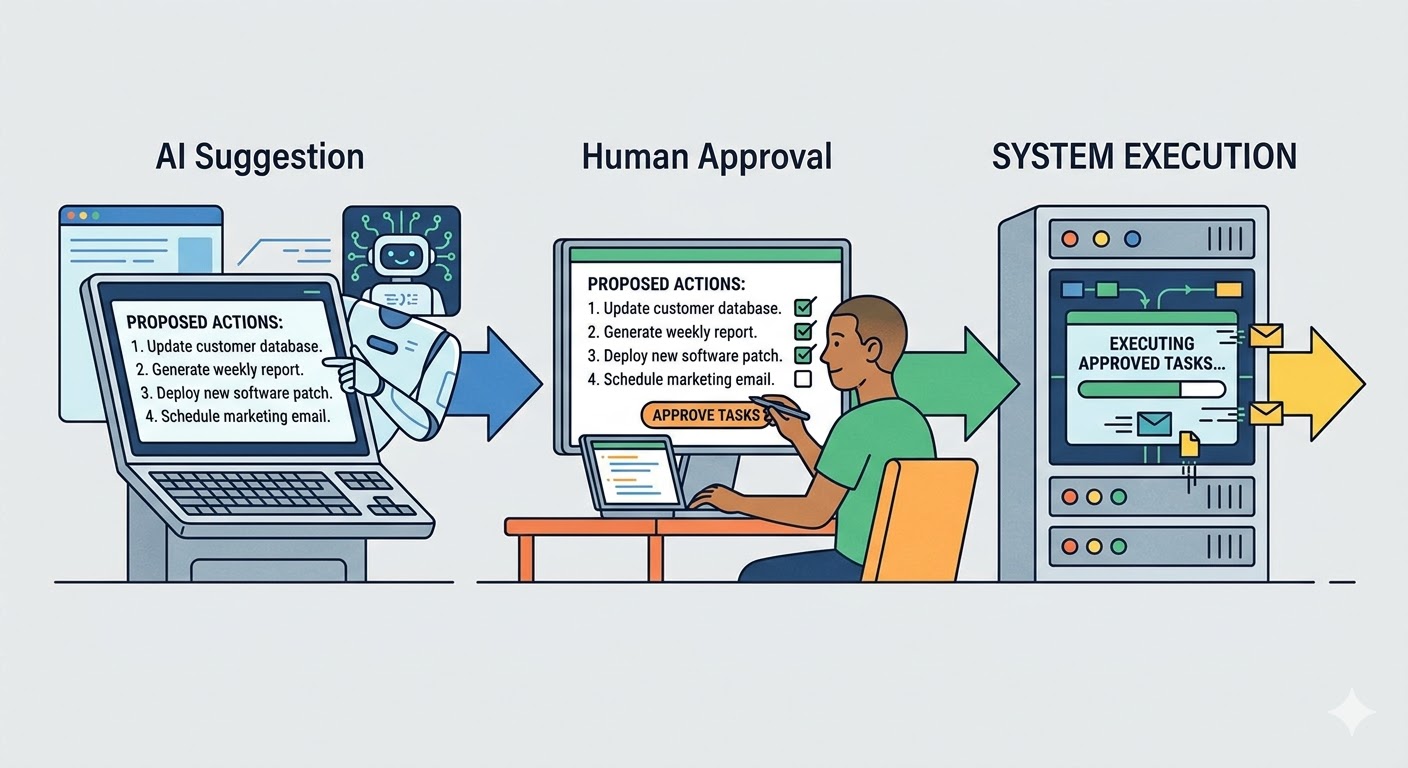
The idea of a fully autonomous agent sounds exciting, but in practice most users prefer something closer to semi-automation.
Running OpenClaw on a VPS
One topic that comes up repeatedly is running OpenClaw on a VPS.
At first this sounds like a good idea — keep the AI agent separate from your personal machine.
But the reality is more complicated.
Several users describe running OpenClaw on cloud servers and running into problems like:
- unstable connections to LLM APIs
- performance limitations on cheaper VPS plans
- memory issues when running multiple services
- difficulty exposing secure endpoints
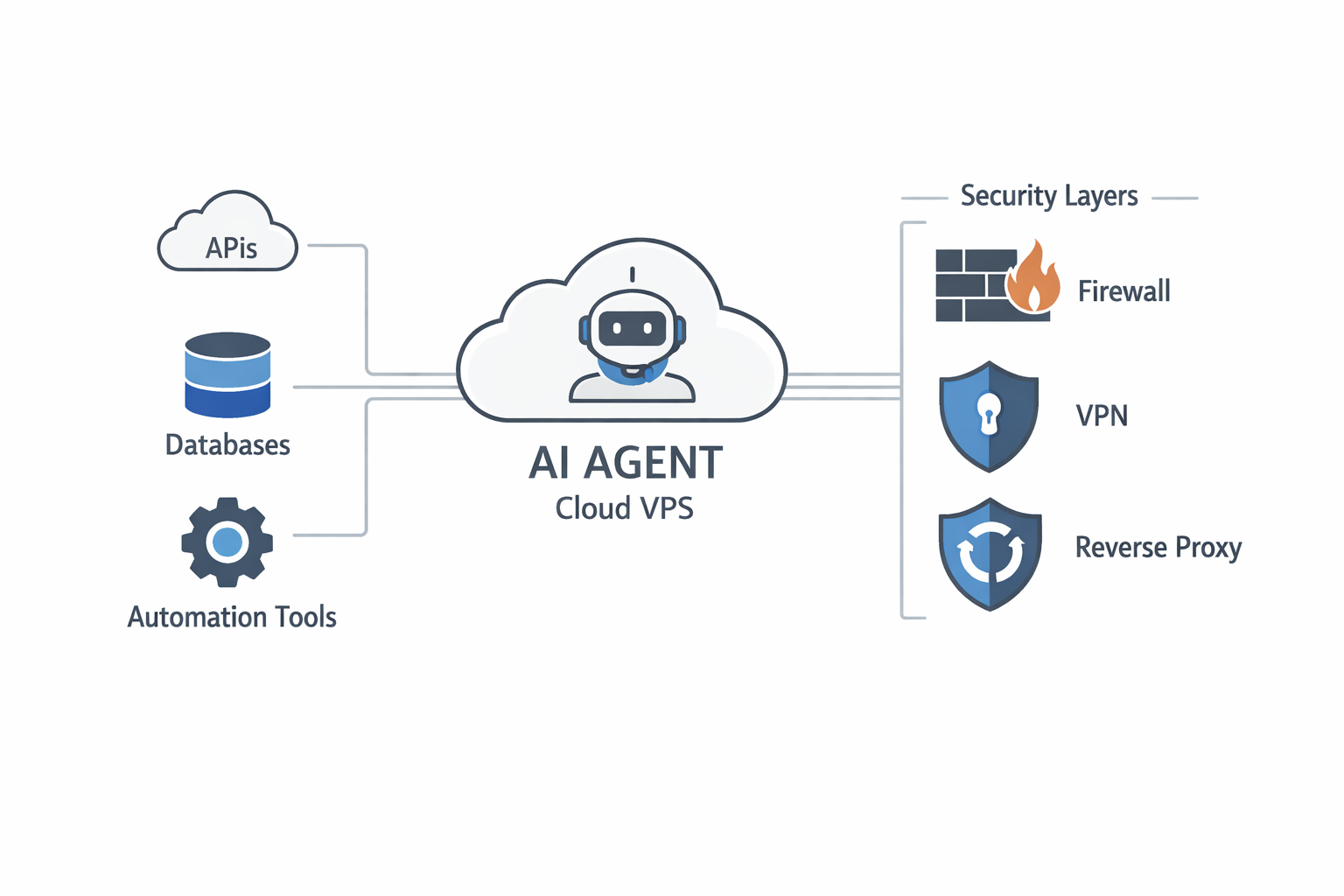
AI agents often need more resources than people expect.
Even if the core service is lightweight, the surrounding stack (LLM connections, tools, databases, automation tasks) adds overhead.
Another issue is networking.
Running an AI agent on a public VPS means:
- securing the API endpoints
- preventing unauthorized access
- protecting the filesystem
- managing firewall rules
Without proper configuration, exposing an automation agent on the internet can become a major security risk.
Because of that, some people eventually move back to local self-hosting or run the system behind VPN access only.
The real lesson from the community
After reading through several long threads, the pattern becomes clear.
People don’t regret trying OpenClaw.
What they regret is assuming it would be a simple tool.
Instead, it behaves more like a small infrastructure project.
You end up thinking about:
- security boundaries
- network isolation
- system permissions
- reliability monitoring
- human approval flows
In other words, once an AI agent can run commands on your system, you’re no longer just running software.
You’re running a system that can act on your behalf.
And that changes everything.